Field testing records that are finished when the work is.
CQA Field Book takes test data from the field, checks it against project specifications as it is entered, and gives project managers live logs and reports, so documentation does not wait for the end of the job.
- Technicians enter results on a phone, even without a signal
- Pass / fail is calculated against the project spec automatically
- Project managers see results as they come in, and print or export reports
Sign in
Choose how you use CQA Field Book.
TechnicianField app: log tests and daily reports › Project ManagerDashboard: review results and reports ›Access is limited to authorized project team members.
Built around how CQA work actually gets done
From the first panel deployed to the final report, each piece is meant to cut re-keying and catch problems while the crew is still on site.
Works in the field, online or off
Entries are saved on the device when there is no signal and sync automatically once it returns, so remote cells and bad coverage don't stop the work.
Automatic pass / fail
Density, moisture, peel and shear, air-channel pressure and hold time, and other criteria are evaluated against the project specification the moment results are entered.
Liner logs and reports
Panel deployment, trial weld, seaming, repair and destructive sample logs, plus a documentation package, laid out for print and Excel export. A summary by roll number is included.
Live project manager dashboard
Project managers see tests, daily reports, photos and field notes as they are entered, across every active project, and can correct a record when needed.
Timely alerts, not lockouts
Technicians are warned when a trial weld is overdue for a machine, or when a destructive sample is coming due, but are never blocked from recording what happened.
Check work before review
A liner summary lets technicians double-check their own entries in the field, so most questions are answered before the project manager ever opens the file.
Three steps from the field to the report
Technician logs the work
Tests, daily reports, photos and field notes are entered on a phone as the work happens, tied to the right project.
Results check themselves
Each result is compared to the project spec on the spot, and non-destructive tests fill in the seaming and repair logs automatically.
Project manager reviews live
The dashboard stays current throughout the job. Reports are printed or exported to Excel whenever they are needed.
One record, two views
The same data appears on the technician's phone and on the project manager's screen.
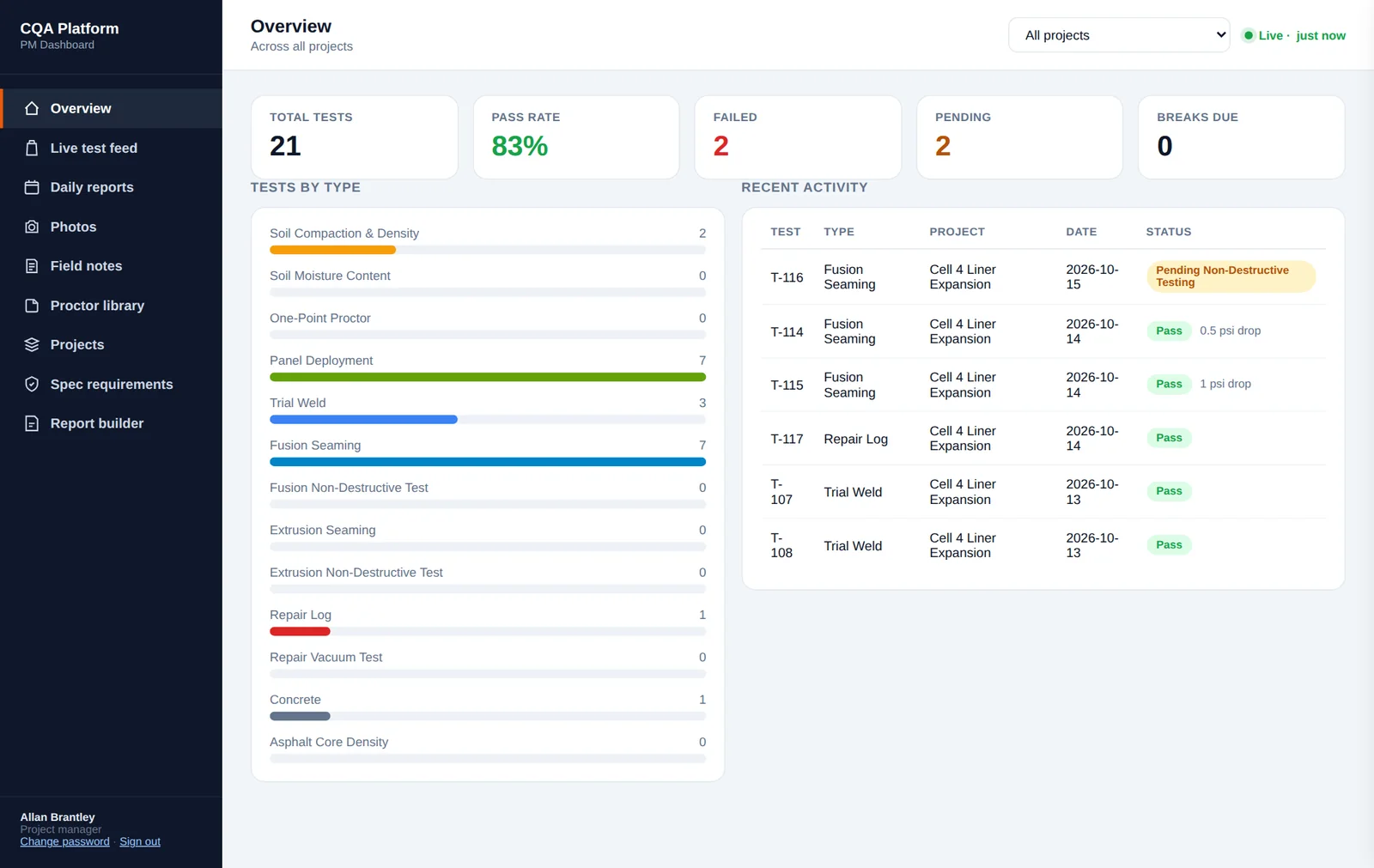
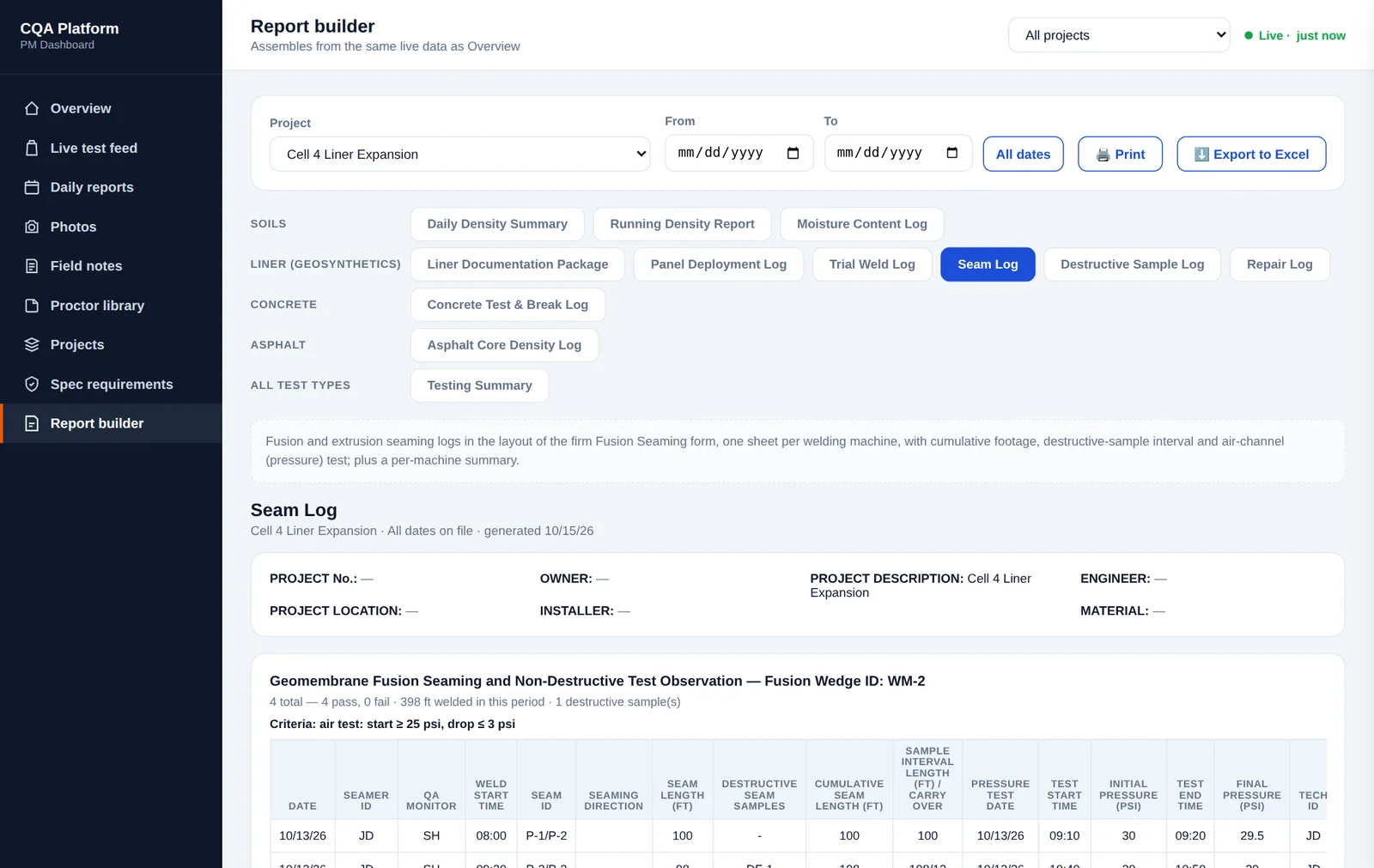
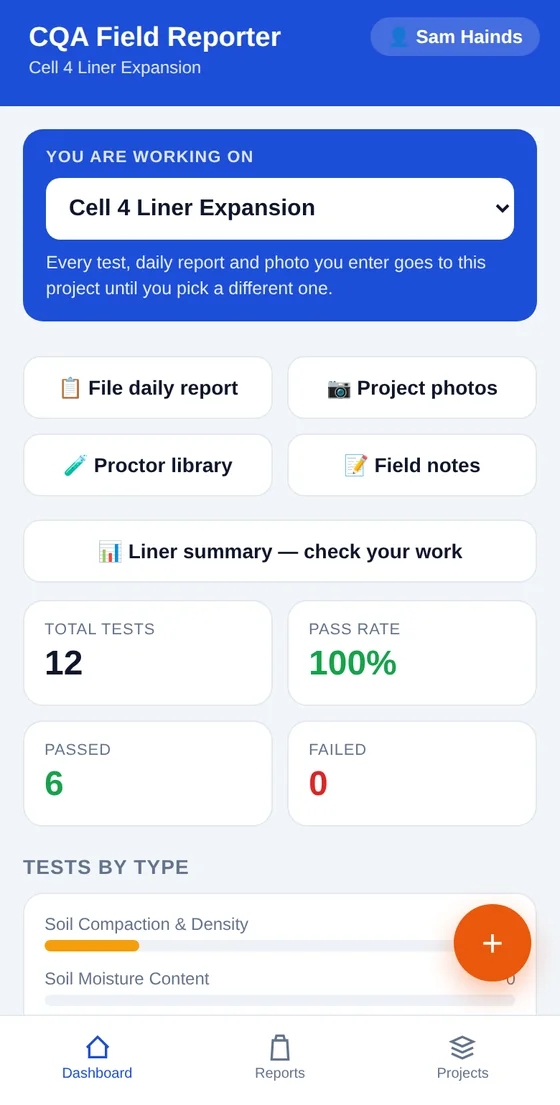
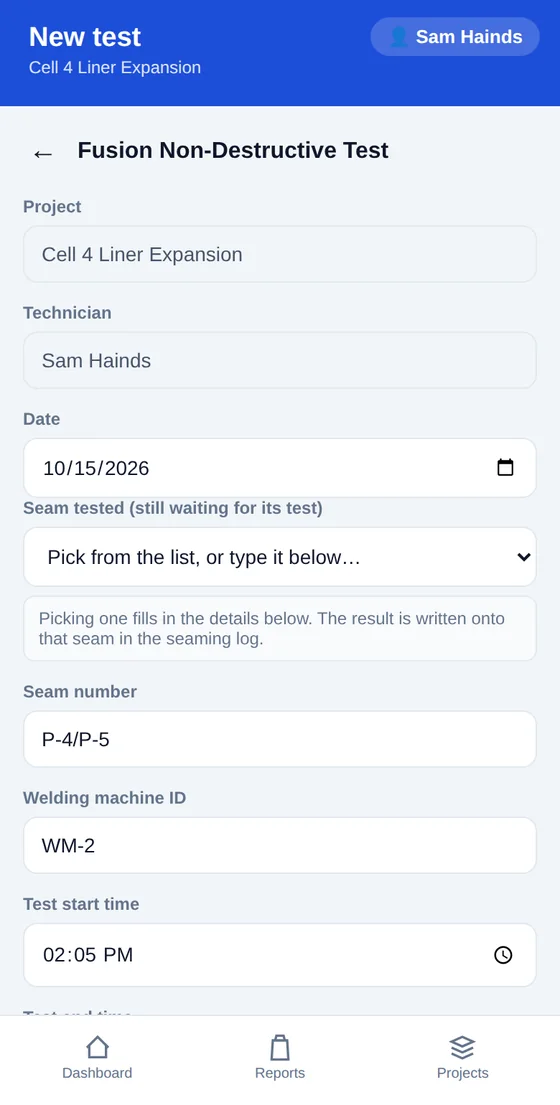
Field app. Pick the project, log a test, and see where the work stands.
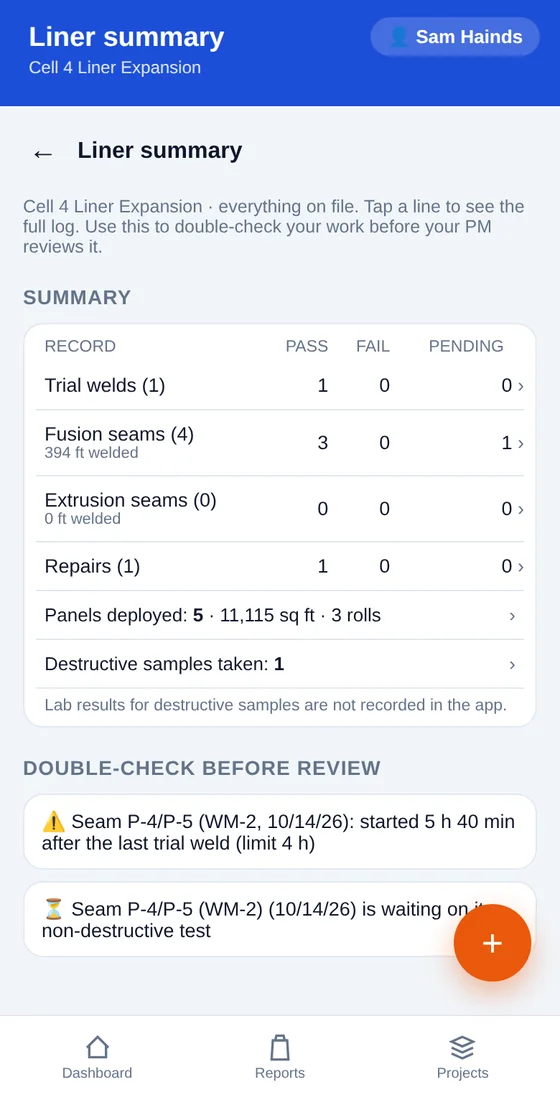
Liner summary. A self-check for technicians before the project manager's review.
Screens shown use sample data for illustration.
Earthwork, liner, concrete and paving
Test types are configured per project, so crews see only what the job calls for.
Soils
- Compaction & density
- Moisture content
- One-point Proctor
- Proctor library
Geosynthetics
- Panel deployment
- Trial welds
- Fusion & extrusion seams
- Non-destructive tests
- Repairs & vacuum tests
- Destructive samples
Concrete
- Field tests
- Cylinder break schedule
- Strength vs. required f’c
Asphalt
- Core density
- Percent of max theoretical density (Gmm)
Already on a project team?
Sign in with the account you were given.